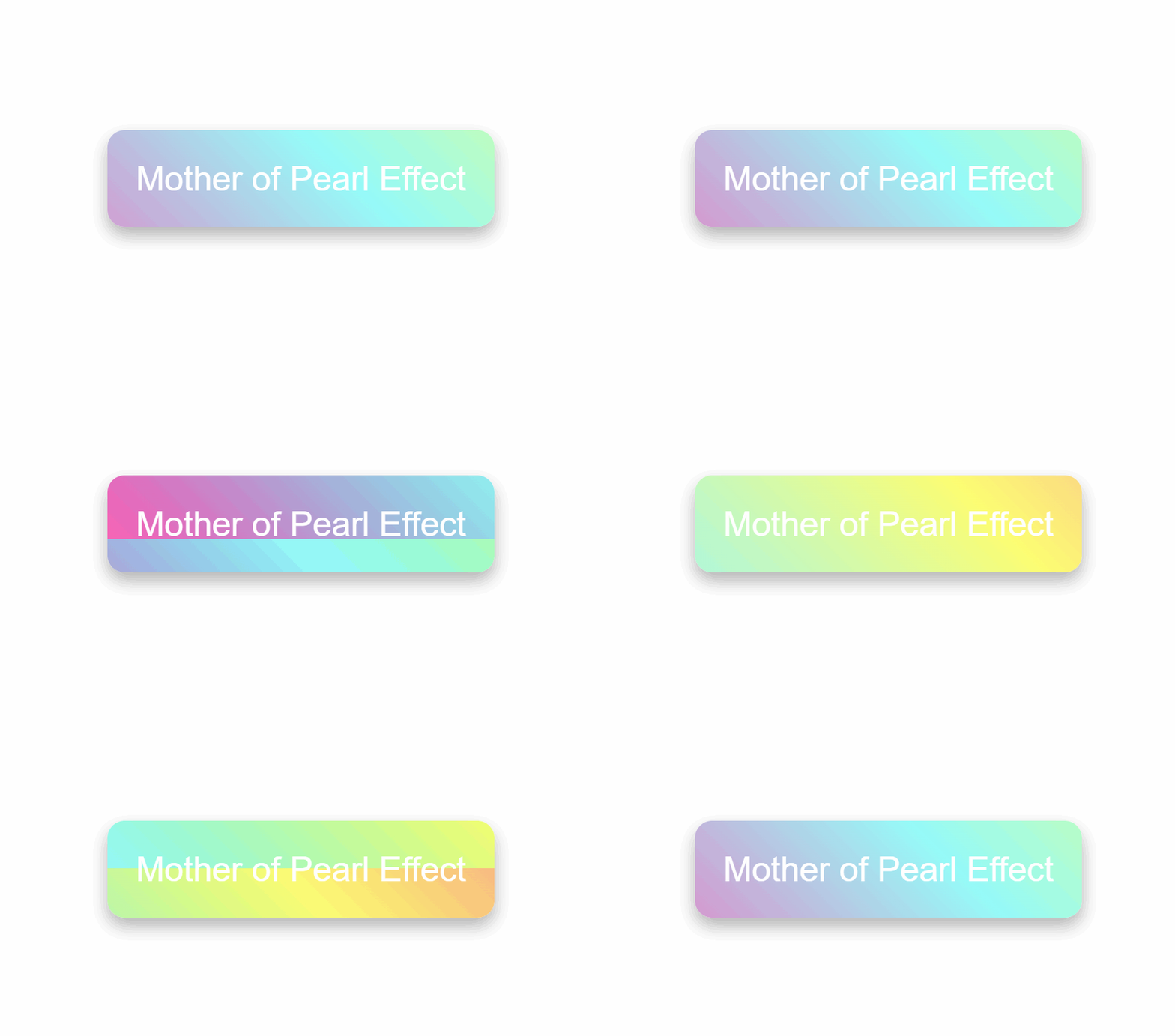
<!DOCTYPE html>
<html lang="en">
<head>
  <meta charset="UTF-8">
  <meta name="viewport" content="width=device-width, initial-scale=1.0">
  <title>Mother of Pearl Effect</title>
  <style>
    body {
      background-color: #ffffff; /* 黑色背景 */
      margin: 0;
      height: 100vh;
      display: flex;
      align-items: center;
      justify-content: center;
    }

    .mother-of-pearl {
      background: linear-gradient(45deg, rgba(255, 235, 255, 0.3), rgba(255, 255, 225, 0.3)),
      linear-gradient(45deg, rgba(255, 0, 150, 1), rgba(0, 255, 255, 0.9), rgba(255, 255, 0, 0.9), rgba(255, 0, 150, 0.9));
      background-size: 100%, 300% 300%;
      animation: pearlescent 3s infinite ease-in-out;
      border-radius: 12px; /* 更圆润的圆角效果 */
      box-shadow: 0 6px 12px rgba(0, 0, 0, 0.3); /* 更强的阴影效果 */
      color: #fff; /* 文字颜色 */
      padding: 20px; /* 内边距 */
      text-align: center; /* 文字居中 */
      font-size: 24px; /* 字体大小 */
      font-family: Arial, sans-serif; /* 字体 */
      position: relative;
      overflow: hidden; /* 确保内容不溢出 */
    }

    @keyframes pearlescent {
      0% {
        background-position: 0% 0%;
      }
      25% {
        background-position: 90% 90%;
      }
      45% {
        background-position: 190% 0%;
      }
      65% {
        background-position: 0% 190%;
      }
      85% {
        background-position: 0% 70%;
      }
      100% {
        background-position: 0% 0%;
      }
    }
  </style>
</head>
<body>
<div class="mother-of-pearl">
  Mother of Pearl Effect
</div>
</body>
</html>